
Technology has transformed the way we live, work, and learn, offering endless possibilities at our fingertips. However, true success comes from using it wisely. By embracing both innovation and wisdom, we can unlock new opportunities, enhance our knowledge, and create a balanced, purposeful approach to the digital world.
Mission 1. Technology Reflection Journal
Reflect on your current habits and experiences with technology. Think about how you use technology in different areas of your life, especially for learning.
- How do you use technology in your daily life? Think about its role in activities like learning, entertainment, communication, and organizing your tasks.
- What is one way technology has positively impacted your life? Give an example to explain your answer.
- What is one challenge or negative aspect of using technology in your daily life? How does it affect you?
- If you could change one habit related to your technology use, what would it be and why?
- Share an example of how technology helped you accomplish something important. What did you learn from that experience?
Mission 2. Define the Terms
This mission challenges you to test your knowledge of common technology terms. Your task is to fill in the definition column for each term and showcase how well you understand the language of technology!
| Term | Definition |
|---|---|
| Wi-Fi | Wireless connection to the internet (example already filled in) |
| Browser | ………………………………………………………….. |
| Search engine | ………………………………………………………….. |
| URL | ………………………………………………………….. |
| App | ………………………………………………………….. |
| Download | ………………………………………………………….. |
| Social media | ………………………………………………………….. |
Mission 3. Tech Vocabulary Challenge
In this activity, you'll measure how well you truly understand the world of technology. This is your chance to dive deeper into the terms and concepts we use every day. Use the correct words from the word bank to complete the blanks in the conversation.
Word Bank: Software, Password, Icons, Writing Assistant, Task Manager, Spam, Collaboration Software, Operating System, Tech Mentor
A Chat About Tech Terms
Hey, Misel! I was trying to work on my laptop, but it's saying that I need to update my software (1). Do you know what that's about?
Oh, that's your system's base software that makes everything work. It's called the ________ (2). Updating it keeps your device running smoothly.
Ah, thanks! By the way, I was also thinking about organizing all my project files. Do you know a good ________ (3) tool to manage tasks?
Yes! You should try Asana or Notion. They're great for keeping everything in order. Speaking of organizing, I saw your desktop — it's filled with ________ (4)! How do you even find anything?
I know, I need to clean it up. But here's another question — how do I make my accounts more secure? I think my ________ (5) might be too simple.
Definitely change it! Use a combination of numbers, letters, and special characters. Oh, and be careful about ________ (6) messages in your inbox. Those can be really risky.
You mean those fake emails that try to trick you? Yeah, I've seen a lot of them lately. What's the best way to avoid clicking on those?
Just don't open anything that looks suspicious! And if you need help with writing for your assignments, try using an ________ (7) like Grammarly. It'll improve your grammar and give you suggestions.
Oh, I've heard of that! One last question — what's the name of that tool where people can work on the same document together in real time?
That's called ________ (8). It's so useful for group projects. Let me know if you want me to show you how to use it.
Thanks, Misel! You're my go-to person for all things tech. I feel like you're my personal ________ (9).
Mission 4. Poster Reading Quest
Read the poster carefully, paying attention to the details in the text. After reading, answer the questions that follow based on the information provided in the poster.
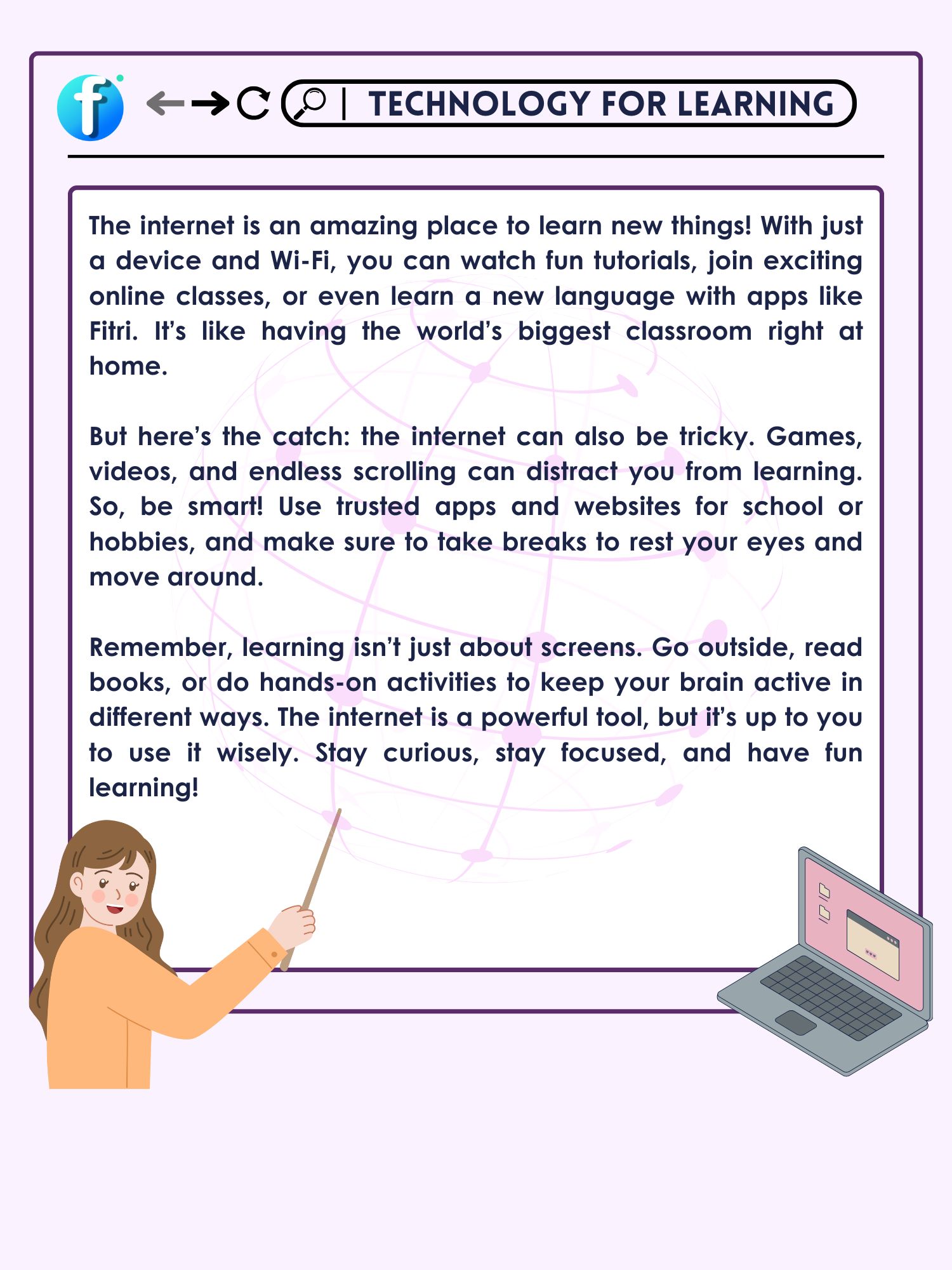
- What is the first step you should take before using the internet to learn something new?
- According to the text, why is it important to choose trusted websites and apps when learning online?
- What is one way to balance online learning with offline activities, as mentioned in the text?
- Why does the text suggest taking breaks while learning online? How can this improve your learning experience?
- What does the text warn about distractions, and how can you follow a procedure to stay focused while learning?
Mission 5. Decision Making Challenge
Read each scenario carefully and think about the best decision you could make in that situation. Consider the pros and cons of using technology and explain your reasoning. Write your answers in your notebook or discuss them with a partner to share different perspectives.
Example — Scenario: You need to create a presentation for a class project, but you're unsure whether to focus on making it visually appealing with tools like Canva or spend more time researching the content. What would you do, and why? Answer: I would start by focusing on researching the content using tools like Google, because strong information is the foundation of any good presentation. Once I have enough details, I would use Canva to make the slides visually appealing, ensuring the presentation is both informative and engaging. (example already filled in)
Scenario: You've been learning online for two hours and start to feel tired. What would you do next — take a break, switch to an offline activity, or continue working? Why? ……………………………………………………………………………………………………………. ……………………………………………………………………………………………………………. …………………………………………………………………………………………………………….
Scenario: An app/website offers a free course on a topic you're interested in, but it asks for personal information like your full name and email address to sign up. Would you proceed? If not, what would you do instead? ……………………………………………………………………………………………………………. ……………………………………………………………………………………………………………. …………………………………………………………………………………………………………….
Mission 6. The Good and the Bad of Tech
Select at least four types of technology, such as social media, online gaming, or learning apps, and dive into their pros and cons. Explore how each impacts our lives — highlighting the benefits they bring while also considering the challenges they present.
| Category | Advantages | Disadvantages |
|---|---|---|
| Social media | Helps stay connected with friends and family. Access to creative and educational content. | Can be distracting during study time. Sometimes creates pressure to post or compare. (example already filled in) |
| ……………….. | ……………………………………. ……………………………………. | ……………………………………. ……………………………………. |
| ……………….. | ……………………………………. ……………………………………. | ……………………………………. ……………………………………. |
| ……………….. | ……………………………………. ……………………………………. | ……………………………………. ……………………………………. |
Over 500 hours of video are uploaded to YouTube every minute. That's more than 21 days' worth of content being added to the platform every single minute! This incredible amount of information shows how much creativity and knowledge people share daily. Similarly, social media connects over 4.8 billion users worldwide, with many using it to learn new skills, explore creative ideas, or stay informed. The internet is also home to endless opportunities for learning. Platforms like Fitri offer free e-books and learning media that allow anyone with a device to learn anything, anywhere.
Gratis — tolong sebarkan
Materi dan latihan di sini bisa dipakai siapa saja tanpa membayar dan tanpa mendaftar. Aplikasi Fitri Learning membawa semuanya ke HP, lengkap dengan nilai dan pembahasan, dan jalan tanpa internet setelah diunduh sekali.
Gratis, tanpa akunUnduh aplikasinya → Ilmu yang bermanfaatBagikan ke WhatsApp